文章目录
ViewPager自带一个setPageTransformer用于设置切换动画,该方法在Api 11,因为其动画使用的是属性动画,所以可以使用nineoldandroids来支持动画效果
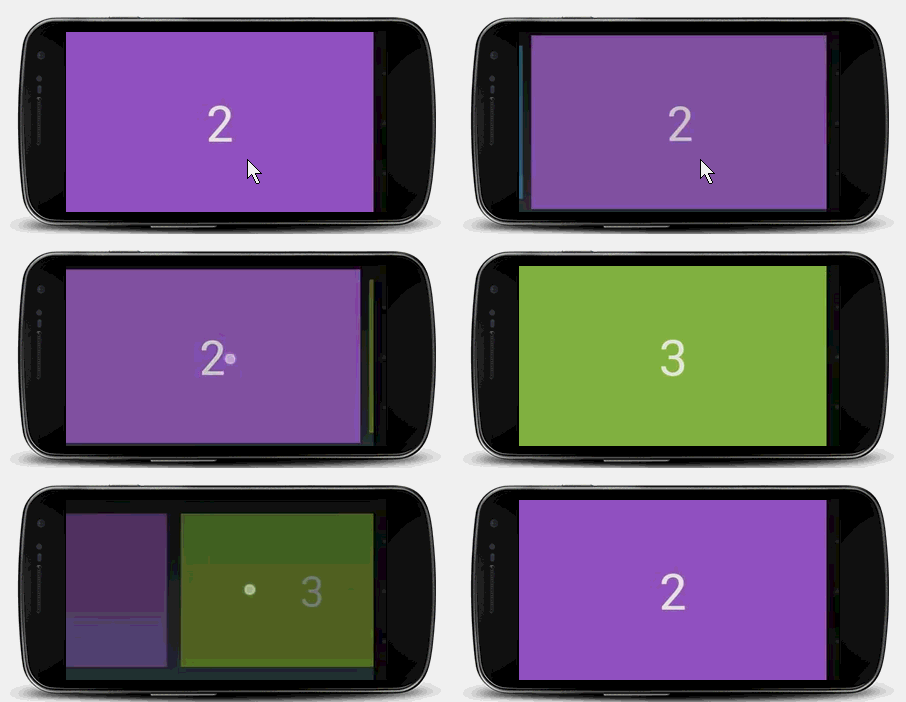
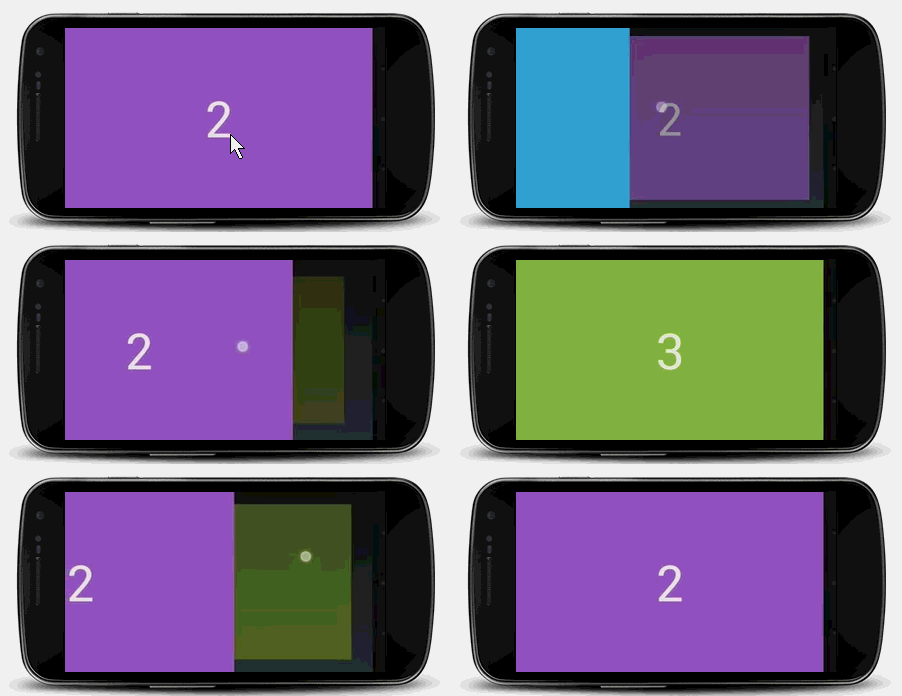
Google官方提供了两个PageTransformer示例
1
2
3
4
5
6
7
8
9
10
11
12
13
14
15
16
17
18
19
20
21
22
23
| public class DepthPagerTransformer implements ViewPager.PageTransformer {
private static final float MIN_SCALE = 0.75f
public void transformPage(View view,float position) {
int pageWidth = view.getWidth();
if(position < -1) {
view.setAlpha(0);
} else if(position <= 0) {
view.Alpha(1);
view.setTranslationX(0);
view.setScaleX(1);
view.setScaleY(1);
} else if(position <= 1) {
view.setAlpha(1 - position);
view.setTranslationX(pageWidth * -position);
float scaleFactor = MIN_SCALE + (1 - MIN_SCALE) * (1 - Math.abs(position));
view.setScaleX(scaleFactor);
view.setScaleY(scaleFactor);
} else {
view.setAlpha(0);
}
}
}
|
1
2
3
4
5
6
7
8
9
10
11
12
13
14
15
16
17
18
19
20
21
22
23
24
25
26
27
28
29
30
31
32
33
34
35
| public class ZoomOutPageTransformer implements ViewPager.PageTransformer
{
private static final float MIN_SCALE = 0.85f;
private static final float MIN_ALPHA = 0.5f;
public void transformPage(View view,float position)
{
int pageWidth = view.getWidth();
int pageHeight = view.getHeight();
if (position < -1) {
view.setAlpha(0);
} else if (position <= 1) {
float scaleFactor = Math.max(MIN_SCALE, 1 - Math.abs(position));
float vertMargin = pageHeight * (1 - scaleFactor) / 2;
float horzMargin = pageWidth * (1 - scaleFactor) / 2;
if (position < 0)
{
view.setTranslationX(horzMargin - vertMargin / 2);
} else
{
view.setTranslationX(-horzMargin + vertMargin / 2);
}
view.setScaleX(scaleFactor);
view.setScaleY(scaleFactor);
view.setAlpha(MIN_ALPHA + (scaleFactor - MIN_SCALE)
/ (1 - MIN_SCALE) * (1 - MIN_ALPHA));
} else {
view.setAlpha(0);
}
}
}
|